From first quote to last payment. All in one place
Your order-to-cash cycle probably involves a quoting tool, an order spreadsheet, a separate invoicing app, and a payment tracker that nobody trusts. Statim ERP handles estimates, orders, deliveries, invoices, payments, and credits in one system. Every dollar is accounted for, every status is visible, and nothing falls between the cracks.
From estimate to deposit, every step tracked in real time
Complete order-to-cash visibility
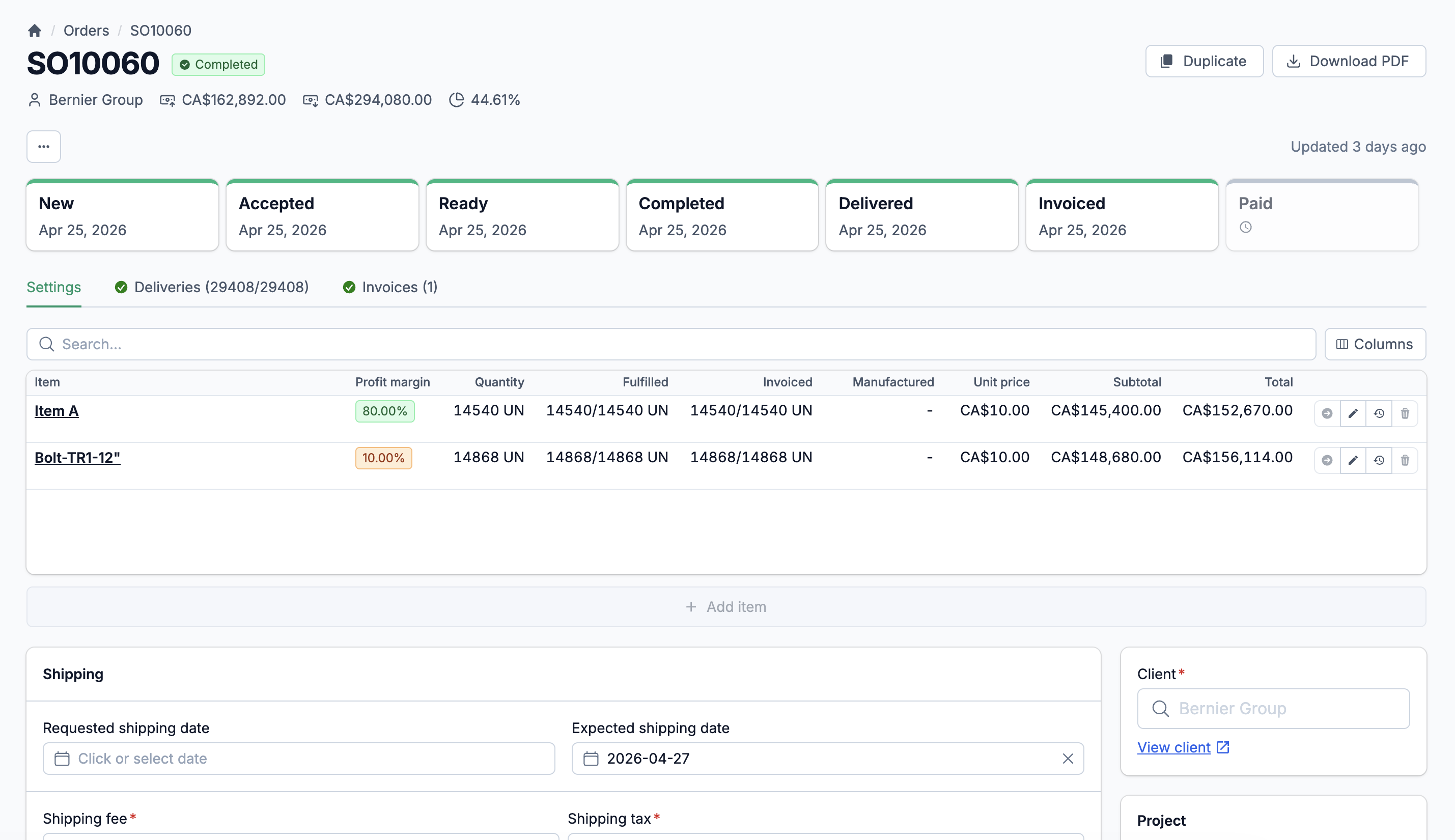
See where every order stands: quoted, confirmed, allocated, shipped, invoiced, paid. Five order statuses, two invoice statuses, and three credit statuses give you a full picture without chasing anyone for updates.
Multi-channel, multi-currency
Orders come in from your sales team, your client portal, or Shopify. They all land in the same system with the same workflows. Multi-currency support means your international clients see prices in their currency while your books stay accurate in yours.
Built-in profitability tracking
Every order line calculates profit margin in real time, comparing revenue against actual costs. You see margin health at the line, order, and invoice level before you ship, not after the quarter closes.
Five statuses. One workflow. Complete control over every order.
A sales order touches inventory, production, shipping, and accounting. If any of those teams is working from outdated information, you lose time and money. Statim ERP gives every order a clear lifecycle: New, Accepted, Ready, Completed, or Cancelled. Each transition is tracked with timestamps, and the system automatically flags when an order is fully delivered, fully invoiced, or fully paid.
A lifecycle that connects every department
When an order moves to Accepted, inventory knows to allocate stock. When a delivery is recorded, invoicing knows what to bill. When a payment lands, accounting knows the balance. No manual handoffs. No status meetings to figure out where things stand.
Duplicate orders in one click
Repeat customers place the same order every month. Duplicate an existing order with all its line items, shipping details, notes, and file attachments. Adjust what you need. Save the data entry for something that matters.
Profit margin at a glance
Every order shows its expected profit margin, calculated from line-level costs and revenue. Color-coded against your target: green when you are on track, orange when margins are thin, red when you are losing money. You see the problem before it ships.
Quotes that convert. Not quotes that expire in someone's inbox.
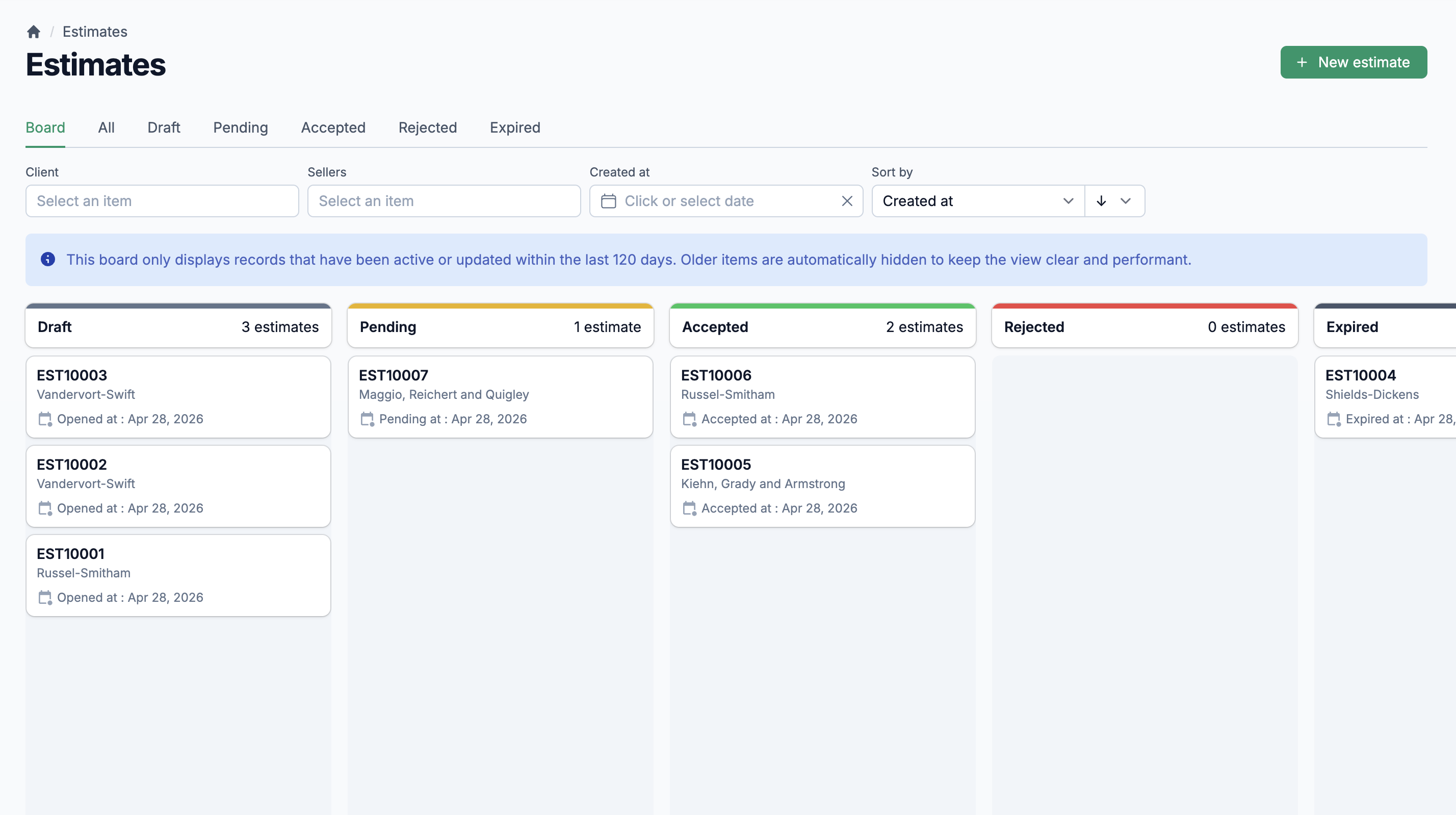
Most ERPs treat estimates as an afterthought. Statim ERP gives them a full status workflow: Draft, Pending, Accepted, Rejected, or Expired. Send a quote to your client with line items, shipping fees, payment terms, and file attachments. When they accept, convert the estimate to a sales order with one click. All lines, prices, discounts, UOMs, and files carry over automatically. Estimates that pass their expiration date are marked as expired, so your pipeline stays clean.
Order Lines & Allocation
Three line types for any scenario: standard items, deposit returns, and miscellaneous charges. Each line supports per-line discounts (absolute or percentage), per-line tax rules, per-line shipping dates, and warehouse-level stock allocation. Attach admin files and technical drawings directly to individual lines.
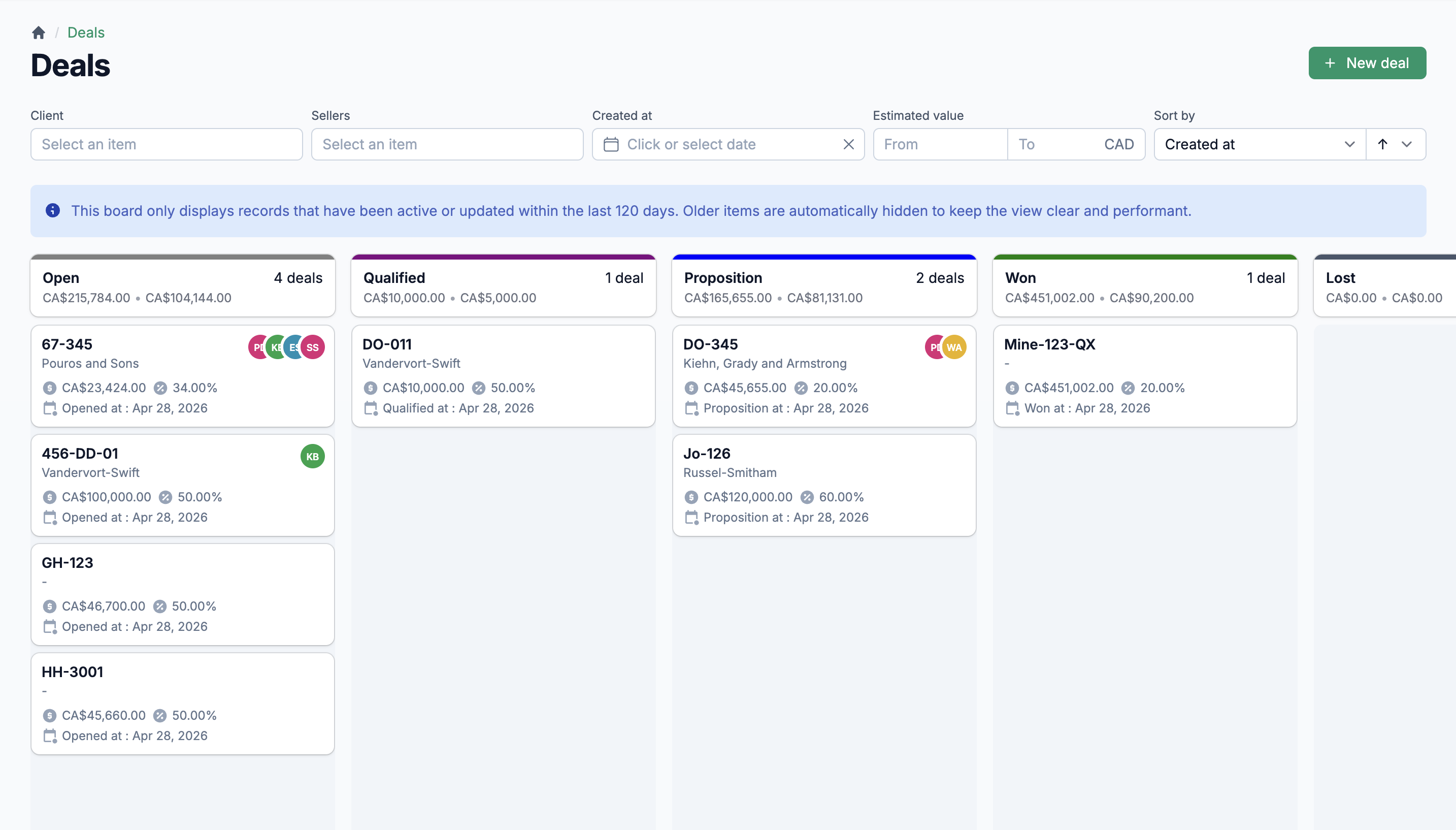
Multi-Channel Orders
Orders arrive from three channels: manual entry by your team, self-service through the client portal, and automatic import from Shopify. Every order follows the same workflow regardless of source. You always know where it came from.
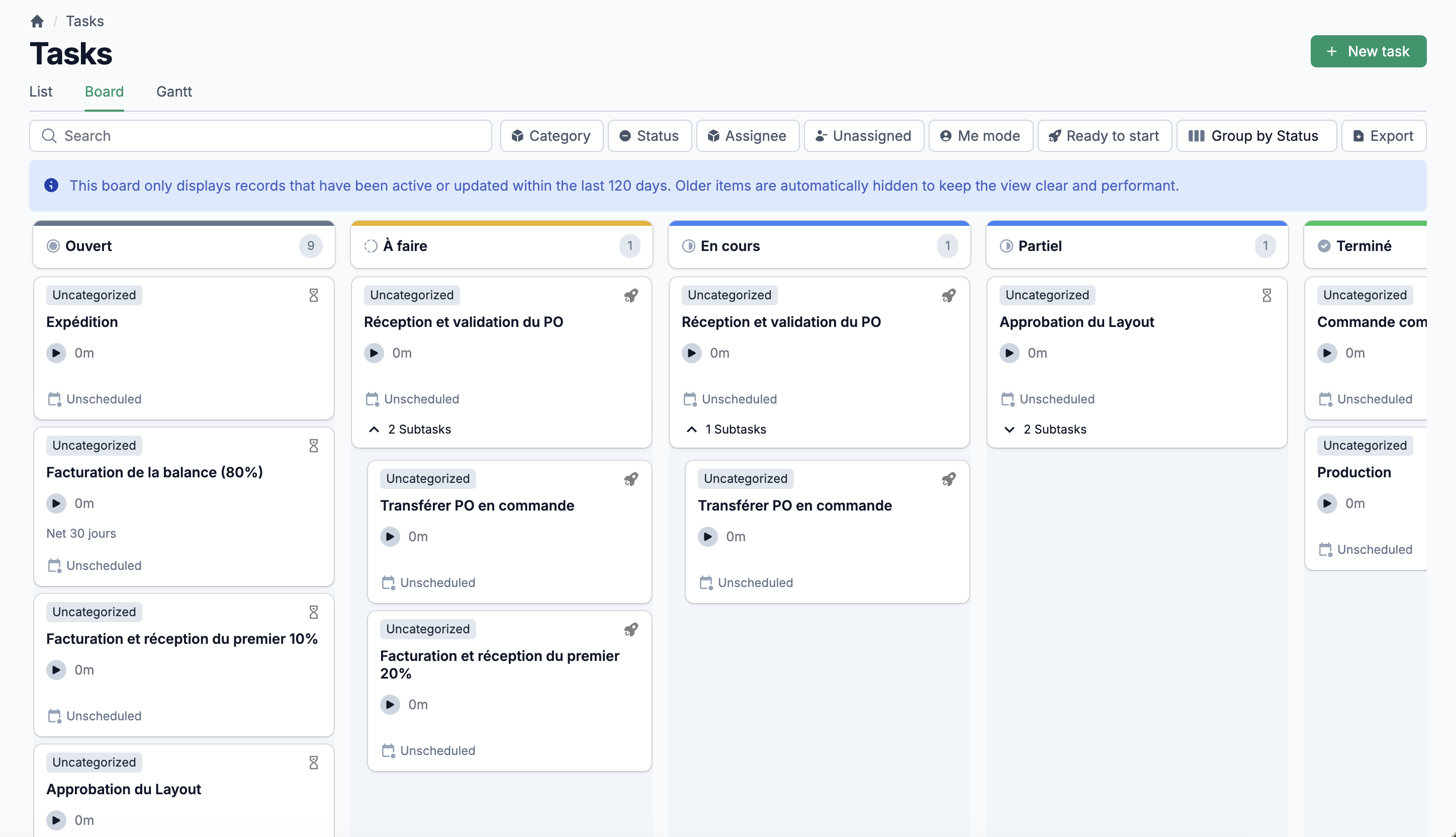
Packing Slips
Generate packing slips grouped by item category. Print them in bulk across multiple orders. Your warehouse team gets clear, organized pick-and-pack documents without formatting a single spreadsheet.
Invoice generation tied to what actually shipped
Invoices are created from delivered order lines, not from the order itself. This means you only bill for what you actually shipped. Each invoice tracks its own status (Draft or Posted), and posting triggers automatic email notification to your client with the invoice PDF attached.
7 payment methods, partial payments, full history
Record payments by wire transfer, credit card, check, cash, ACH, digital platform, or money order. Apply a single payment across multiple invoices. Partial payments update each invoice balance automatically. Every payment syncs to your accounting software when connected.
Client credits that close the loop
Issue credit notes with tax calculations. Apply credits against invoices when recording payments. Three status levels track every credit: Unapplied, Partially Applied, and Applied. Credits sync to your accounting software as credit memos. No manual journal entries.
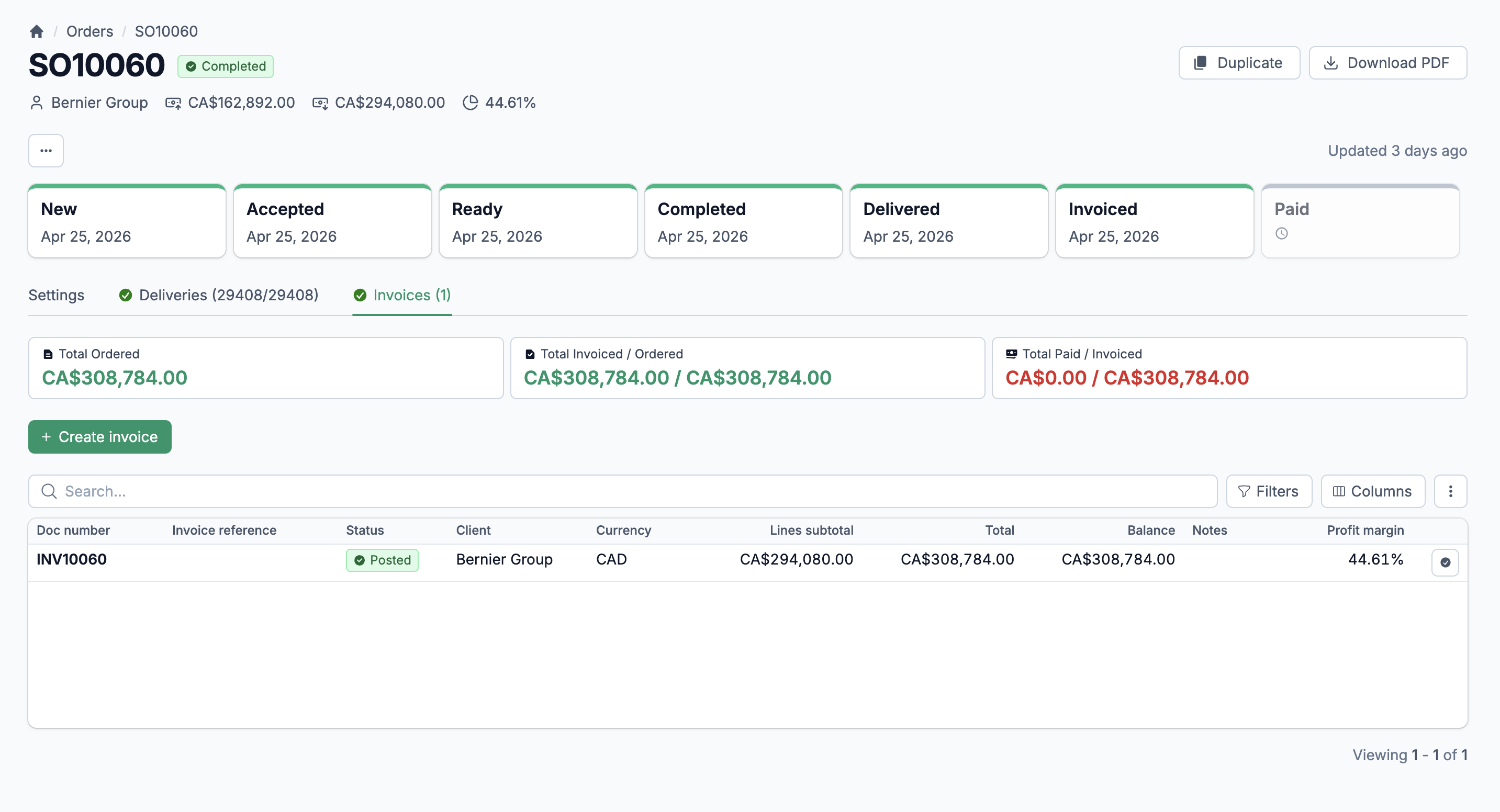
Track every shipment from warehouse to client door
An order is not done when it is confirmed. It is done when the client has the product. Statim ERP tracks deliveries at the line level: how much was shipped, how much is on back order, and what is still pending. Each delivery records the warehouse it shipped from, the date, and the per-line quantities. Four delivery statuses give your team an instant read: OK, Delivered, Out of Stock, or Partially Out of Stock.
Pending deliveries dashboard
One screen shows every order line that still needs to ship. Filter by item, order, date, or warehouse. Your shipping team starts their day here, not digging through individual orders to figure out what goes out today.
Delivery progress on every order
Each order shows real-time delivery completion: quantities ordered versus quantities delivered per line. The order automatically marks itself as fully delivered when every line is fulfilled. No manual status updates.
Inventory movements on delivery
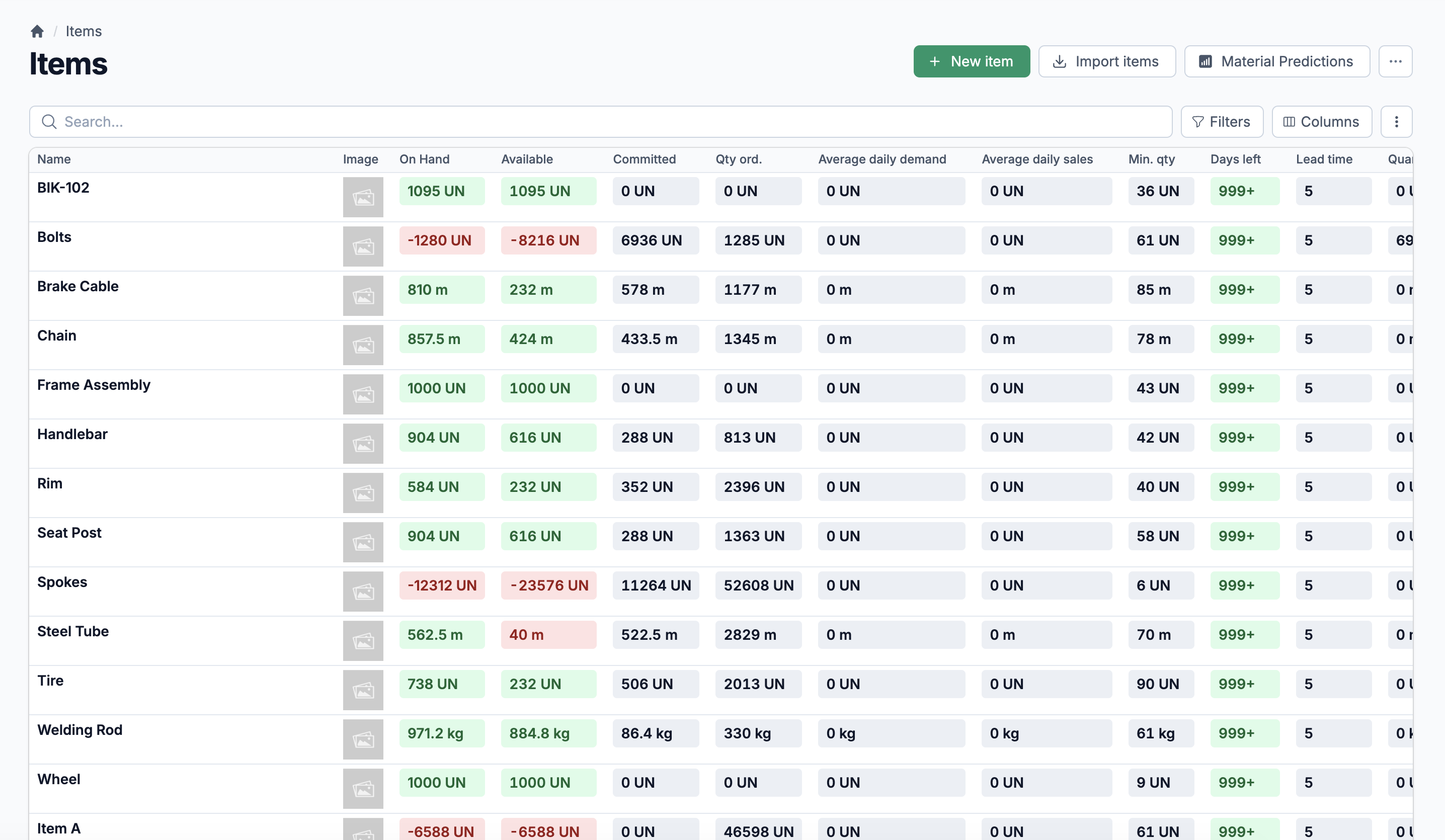
When you record a delivery, inventory adjusts automatically. Stock levels, committed quantities, and movement history all update in real time. Your warehouse count stays accurate without a separate step.
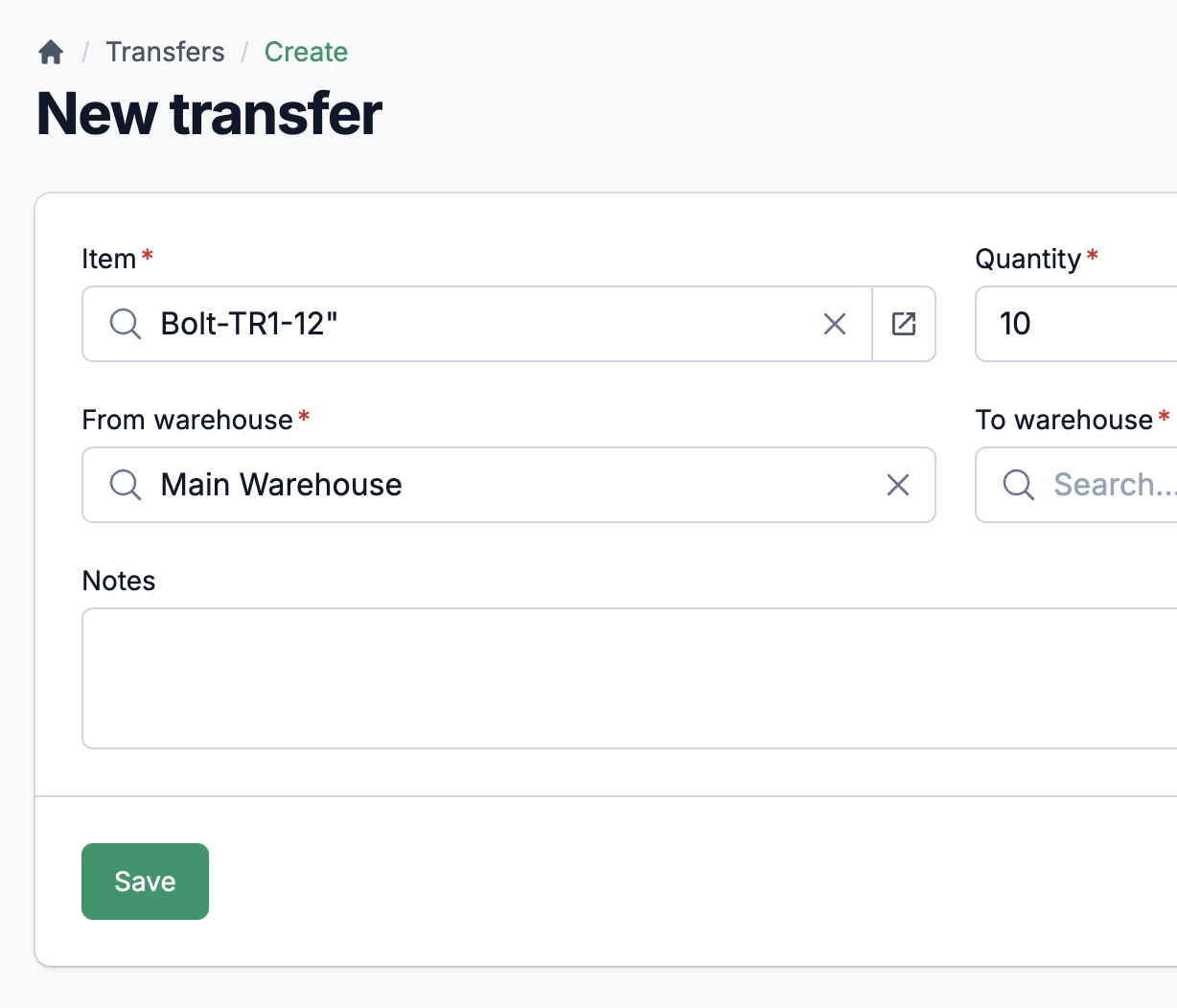
Client-specific prices. Bulk adjustments. Margin targets built in.
Not every client pays the same price. Statim ERP lets you set item-specific pricing per client with custom prices in the client's currency and target profit margins per item. Mark items as exclusive to specific clients when product availability is restricted. When costs change, use batch price adjustments to recalculate recommended prices across an entire item category. Set the margin adjustment percentage, and every affected item updates at once.
Know what you are owed. Know who is late. Act on it.
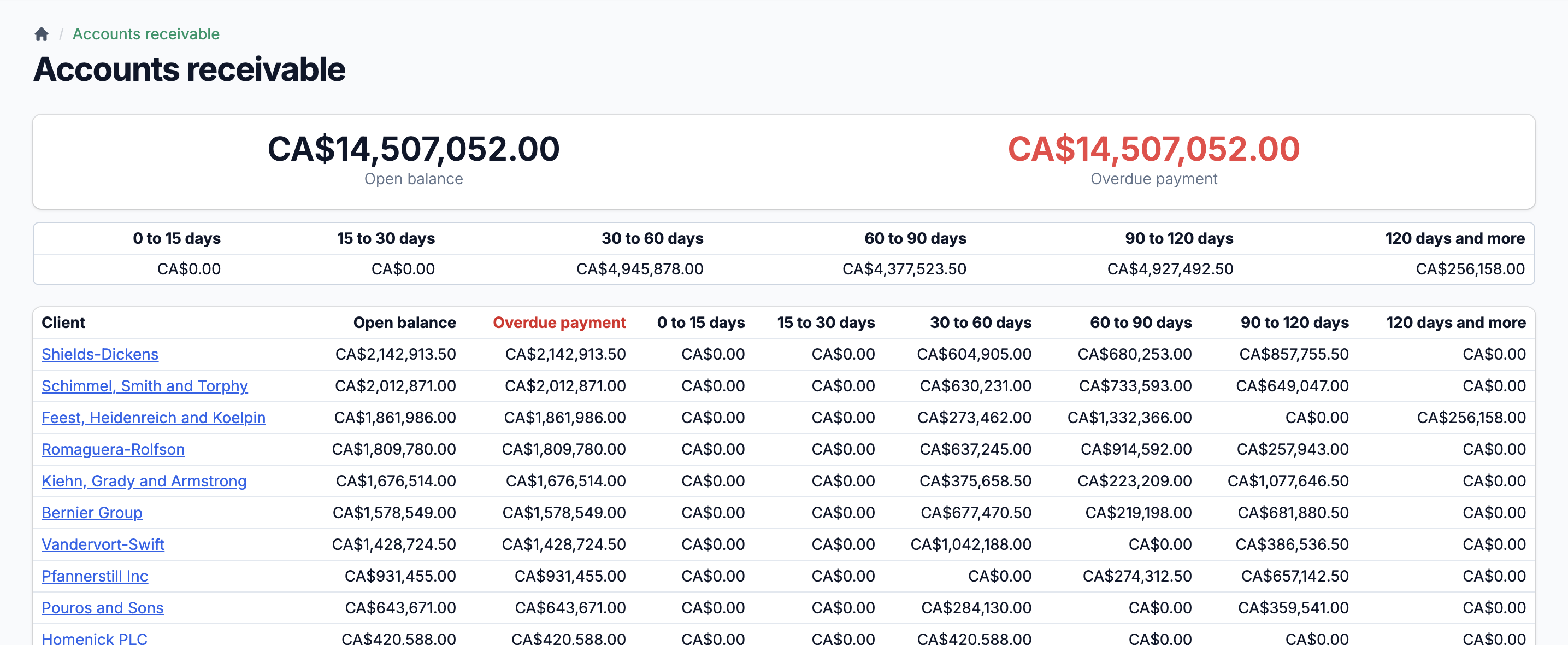
Your accounts receivable view shows the full picture: total outstanding balance, late receivables, unapplied credits, and unapplied payments. Six aging buckets (0-15, 15-30, 30-60, 60-90, 90-120, and 120+ days) break down where your money is stuck. Generate client account statements with full transaction history: invoices posted, payments received, credits applied, and a running balance. Send statements directly to clients by email. Everything syncs to your accounting software, so your AR in Statim ERP matches your books.