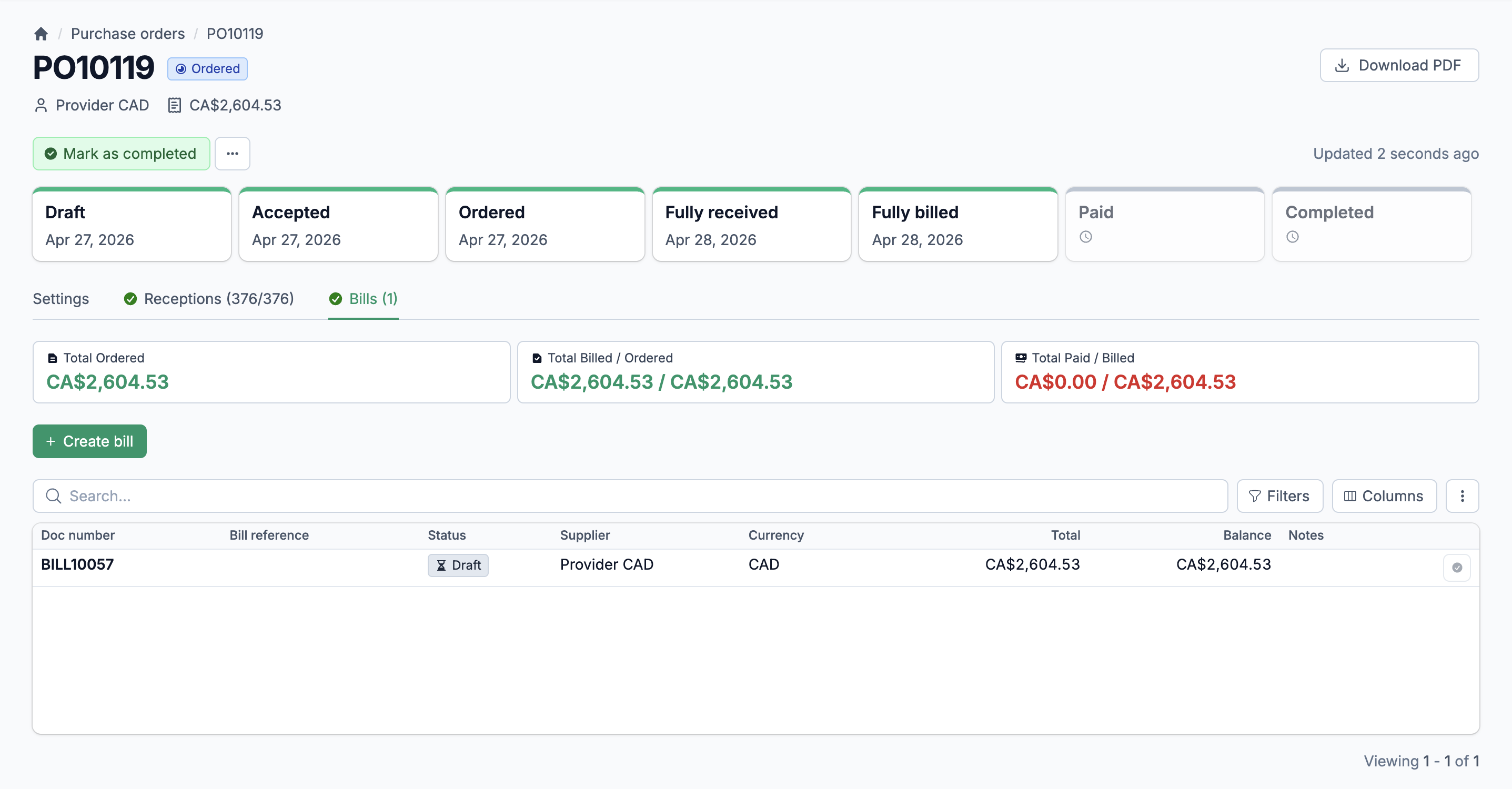
Control every dollar you spend with your suppliers
Your purchasing team shouldn't manage POs in email threads and spreadsheets. Statim ERP tracks every purchase order from draft through reception to final payment, with full supplier management, AI-powered imports, and built-in accounts payable. You always know what you ordered, what arrived, and what you owe.
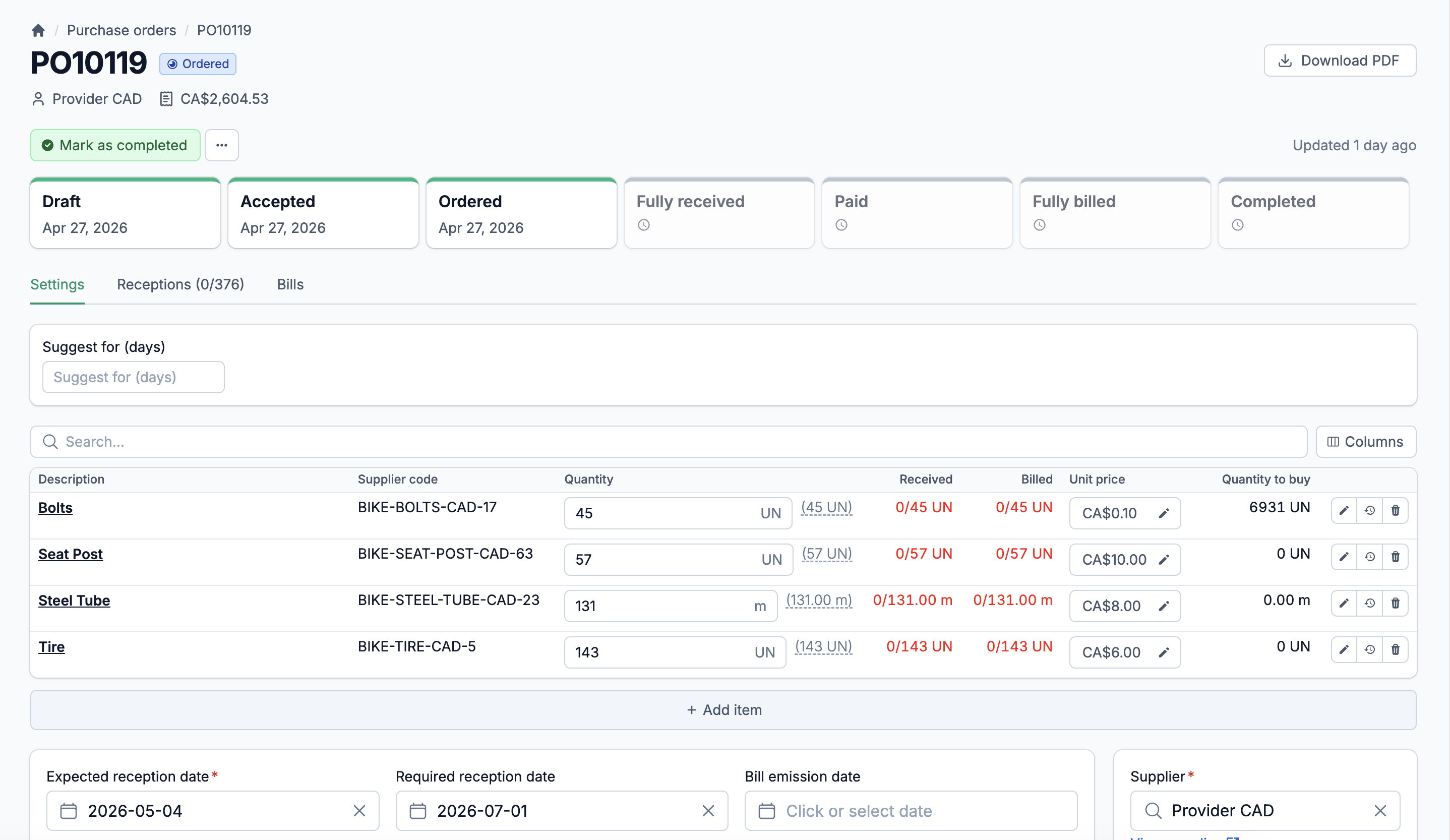
Full procurement control, from first PO to last payment
Complete PO lifecycle
Create a purchase order, send it to your supplier, track reception line by line, match it to a bill, and record payment. Every step is connected. Nothing falls through.
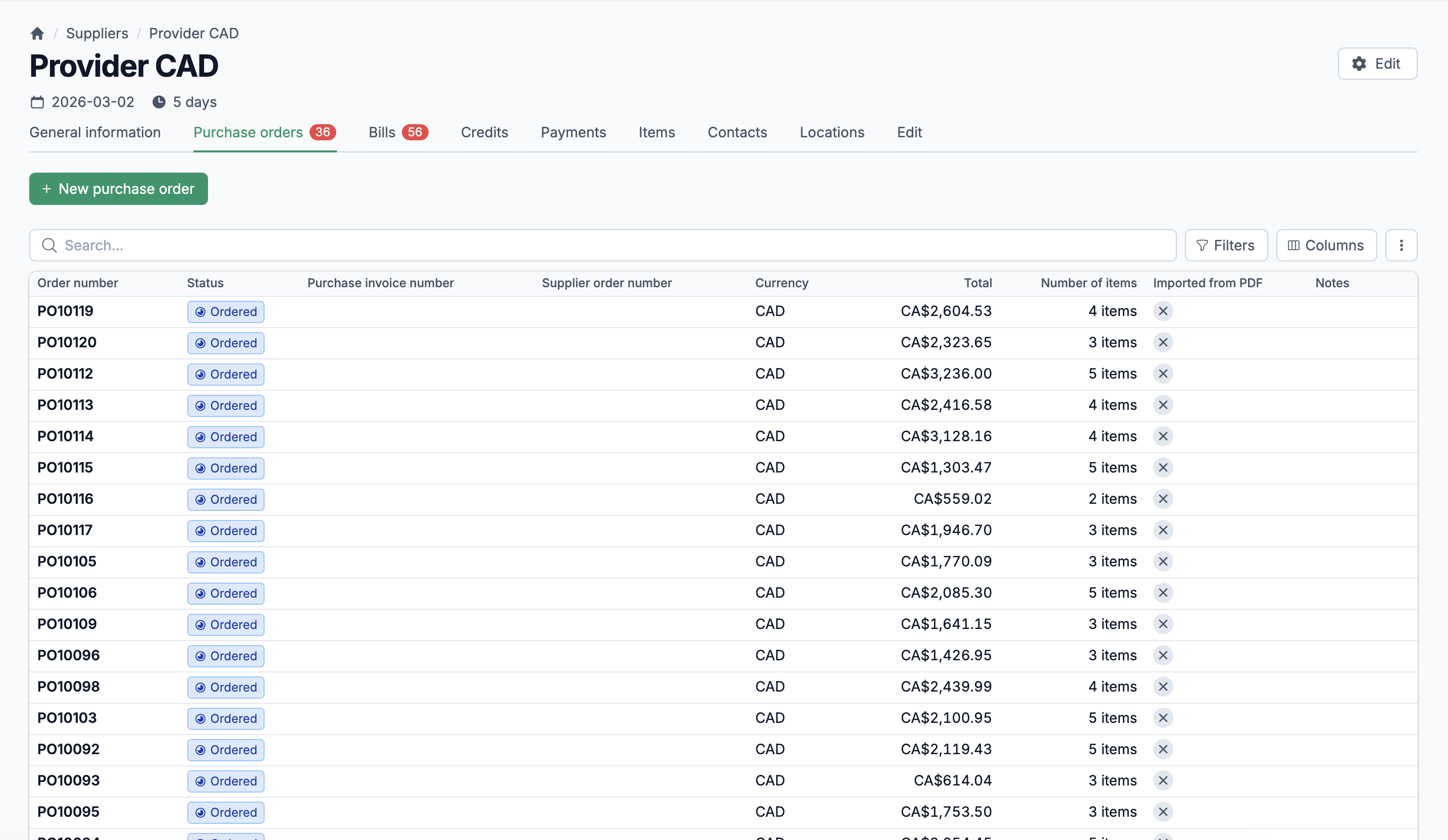
Supplier intelligence built in
Each supplier carries their own currency, tax rules, payment terms, lead times, and item-specific pricing. When you create a PO, the system pulls the right defaults automatically.
Real-time AP visibility
Bills, payments, and credits are tied directly to your purchase orders. You see your outstanding balance by supplier, track overdue bills, and sync everything to your accounting software.
Six statuses. One workflow. Every PO accounted for.
A purchase order that sits in "pending" for three weeks is a purchase order nobody is watching. Statim ERP gives every PO a clear status workflow: RFQ, New, Accepted, Ready, Completed, or Cancelled, with defined transitions between each state. Your team sees exactly where every order stands, and the system prevents invalid status changes. No more ambiguity.
A status workflow that enforces your process
POs move through defined states with validated transitions. A New PO can be accepted or sent as an RFQ. Only Ready POs can receive goods. Completed POs can be reopened if needed. The system enforces the rules so your team doesn't have to remember them.
Multi-currency with automatic conversion
Buy from international suppliers in their currency. Statim ERP stores the exchange rate on every PO and converts line subtotals to your base currency automatically. Your costs are always comparable, regardless of which country the supplier is in.
Configurable PO document formats with 21 columns
Choose exactly what appears on your printed PO. Pick from 21 available columns: item name, image, SKU, supplier code, quantities, unit price, subtotal, taxes, current stock levels, average daily demand, reorder quantities, inventory locations, and more. Save multiple formats for different supplier types.
Receive what arrived. Track what didn't.
Your supplier ships 8 of the 10 cases you ordered. Statim ERP records the partial receipt against each PO line, updates your inventory quantities, and keeps the remaining 2 cases visible as pending. Receive into any warehouse, track reception dates, and link every receipt back to the original PO line. When the backorder arrives next week, you record it against the same PO. No duplicate entries. No guesswork about what's still outstanding.
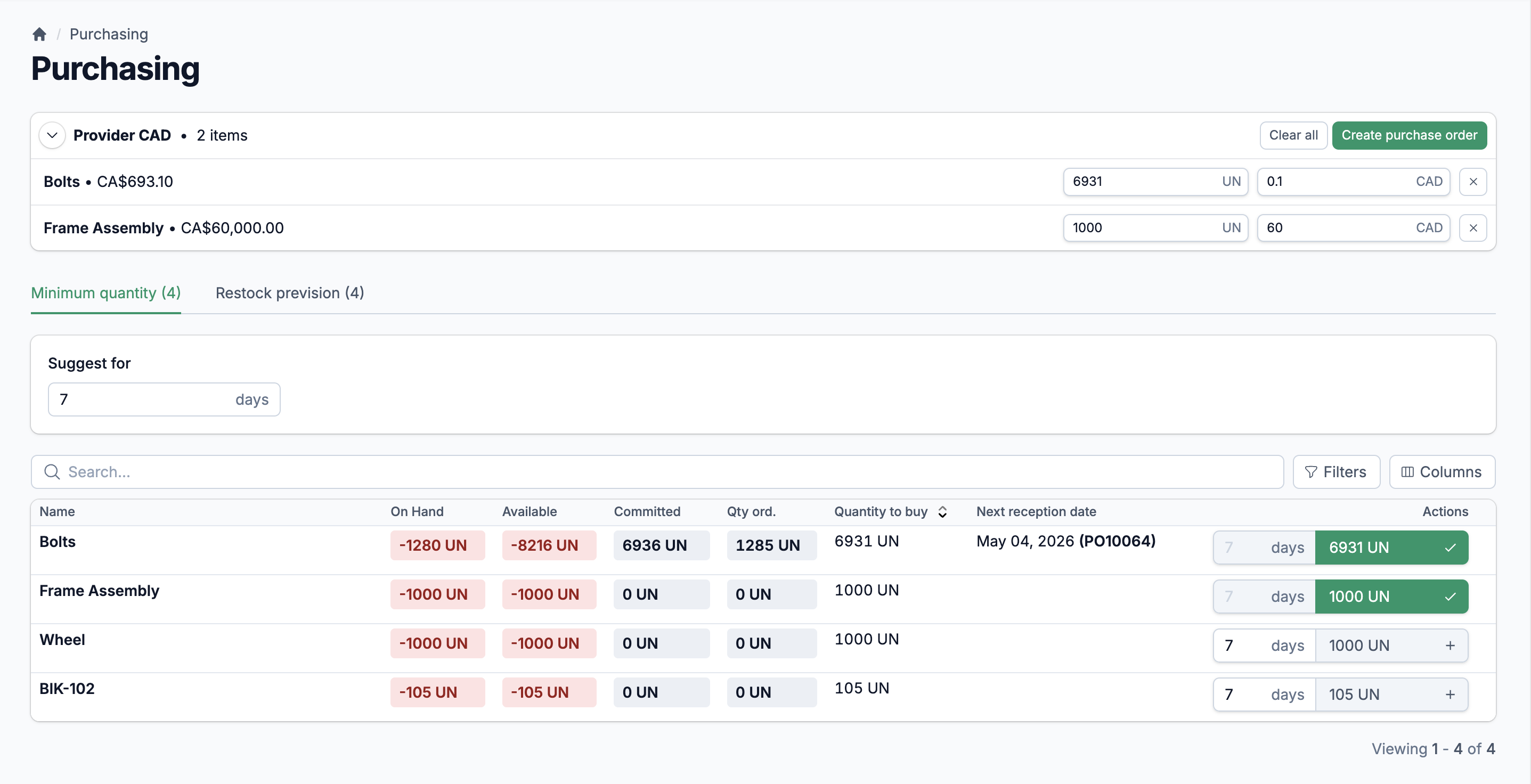
AI-Powered PO Import
Upload a supplier's PDF and let AI extract line items, quantities, and prices automatically. The system creates a purchase order from the parsed data and logs the import result. Stop retyping what your supplier already sent you.
Shipping Fee Distribution
Distribute shipping costs across PO lines three ways: by unit count, by line price, or by custom allocation. Shipping fees flow into your item costs accurately, so your landed cost calculations actually reflect reality.
PO Tracking Numbers
Attach tracking numbers directly to purchase orders. Your team checks shipment status without digging through emails or carrier websites. Everything lives on the PO where it belongs.
Complete supplier profiles
Each supplier record holds contacts, shipping and billing addresses, default tax rules, currency, payment method, payment terms, lead time, vendor code, and internal notes. When you create a PO, these defaults populate automatically. No re-entering the same data on every order.
Supplier item catalog with per-supplier pricing
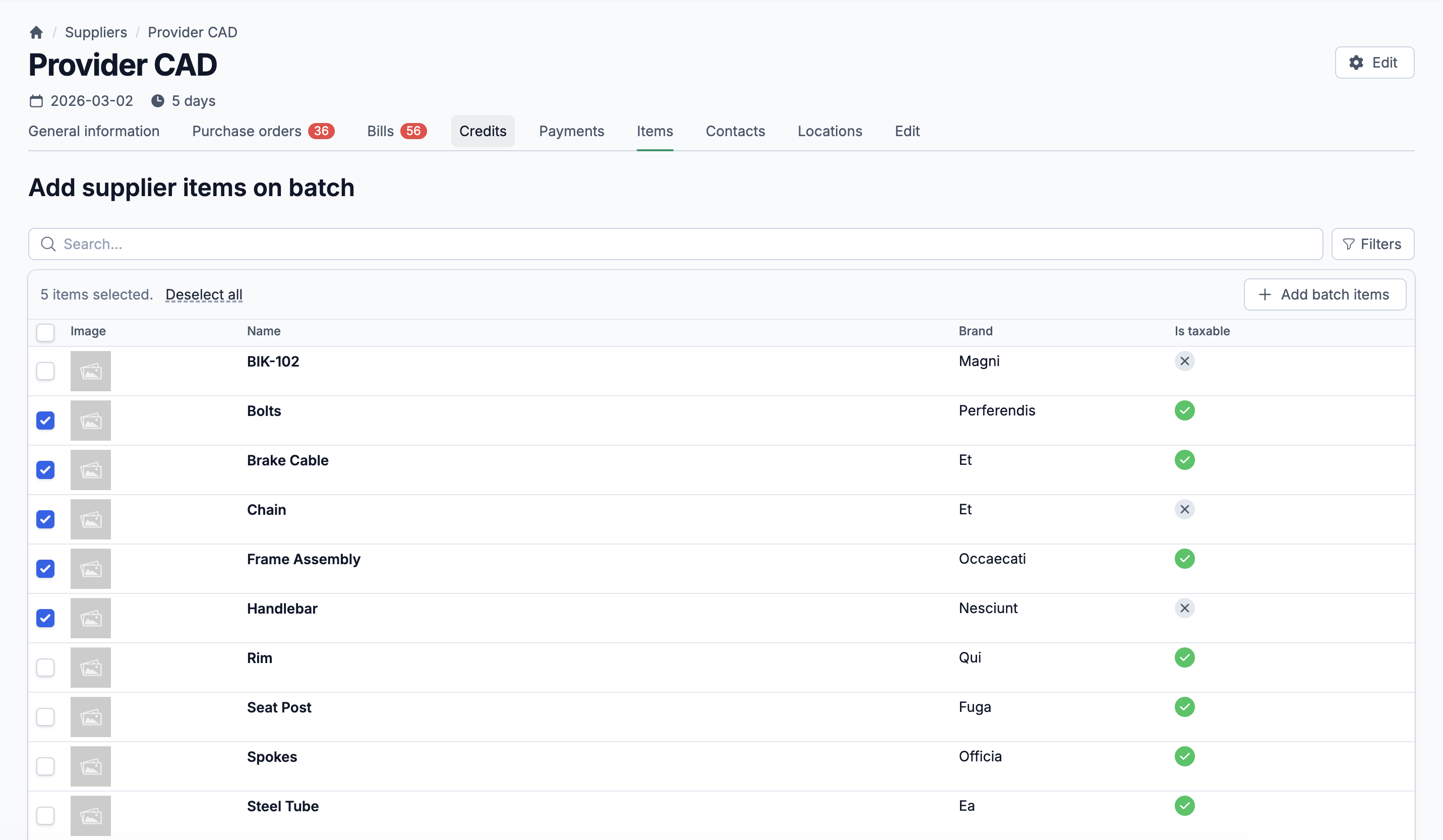
Link items to suppliers with supplier-specific codes, current costs, and orderable step quantities. The system tracks last cost, best cost, and average cost across purchase history. You always know what you paid, and whether this quote is in line with your history.
Vendor credits that actually get applied
Issue credit notes against suppliers with status tracking: unapplied, partially applied, or fully applied. Credits link directly to bill payments, so you never forget about a $2,000 credit sitting in a drawer. The balance updates automatically as credits are used.
From received goods to recorded bill to cleared payment
The gap between "we received the goods" and "we paid the invoice" is where money gets lost. Statim ERP connects every bill line back to a specific PO line reception, so you can verify that what you're paying for is what you actually received. Bills have their own status workflow (Draft and Posted), with accounting sync built in. The system flags price mismatches, quantity discrepancies, overbilling, and over-reception automatically. You catch problems before you pay for them.
Bill payments with partial payment support
Record payments against one or multiple bills in a single transaction. Support for 7 payment methods: wire transfer, credit card, digital payment platforms, paper check, cash, money order, and ACH. Every payment syncs to your accounting software with full provider credit application.
Built-in variance detection
The system calculates purchase price variance (PPV) on every bill line, including shipping fee variances. When a bill price differs from the PO price, you see the exact dollar impact on your costs. Matched quantities, missing quantities, and extra quantities are all tracked at the line level.
Overdue bill tracking
Bills carry due dates and payment terms inherited from the supplier. Filter by overdue status, paid/unpaid, or date range. Your AP team knows exactly what needs attention this week without building a separate tracking sheet.