Stop guessing what is happening on your shop floor
Spreadsheets on a clipboard are not production control. Statim ERP gives you work orders with a real status workflow, BOMs with versioning and routing, and a live production floor dashboard. You see what is being built, who is building it, and what it costs. In real time.
Complete production control, from BOM definition to final cost
Work orders tied to sales orders
A customer order comes in, and work orders generate automatically. Each one carries the BOM, the routing, and the deadline. No re-keying. No missing context.
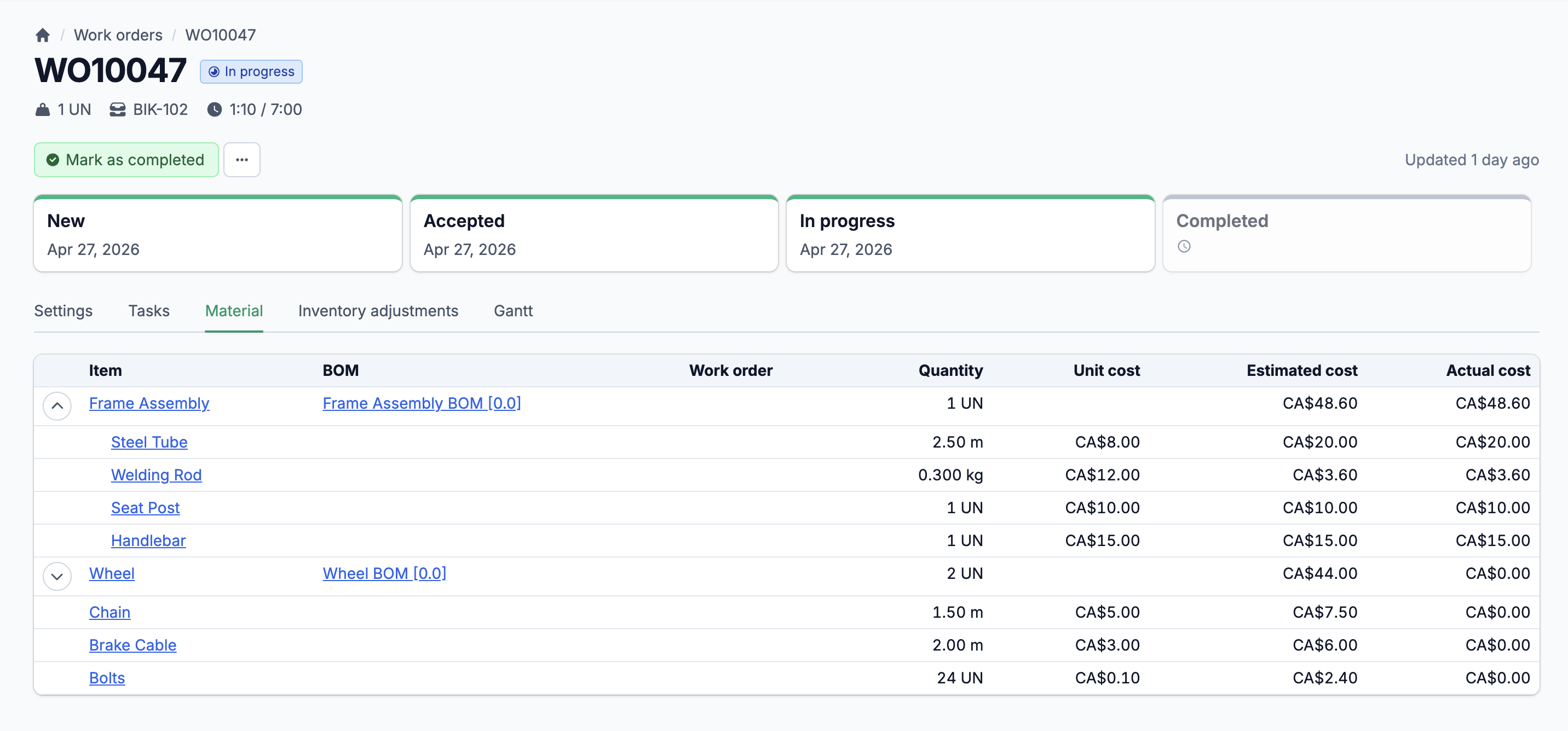
Real-time cost tracking
Material, labor, and overhead costs update as production happens. You see estimated vs. actual at every level: per task, per operation, per work order. Variances surface before they become surprises.
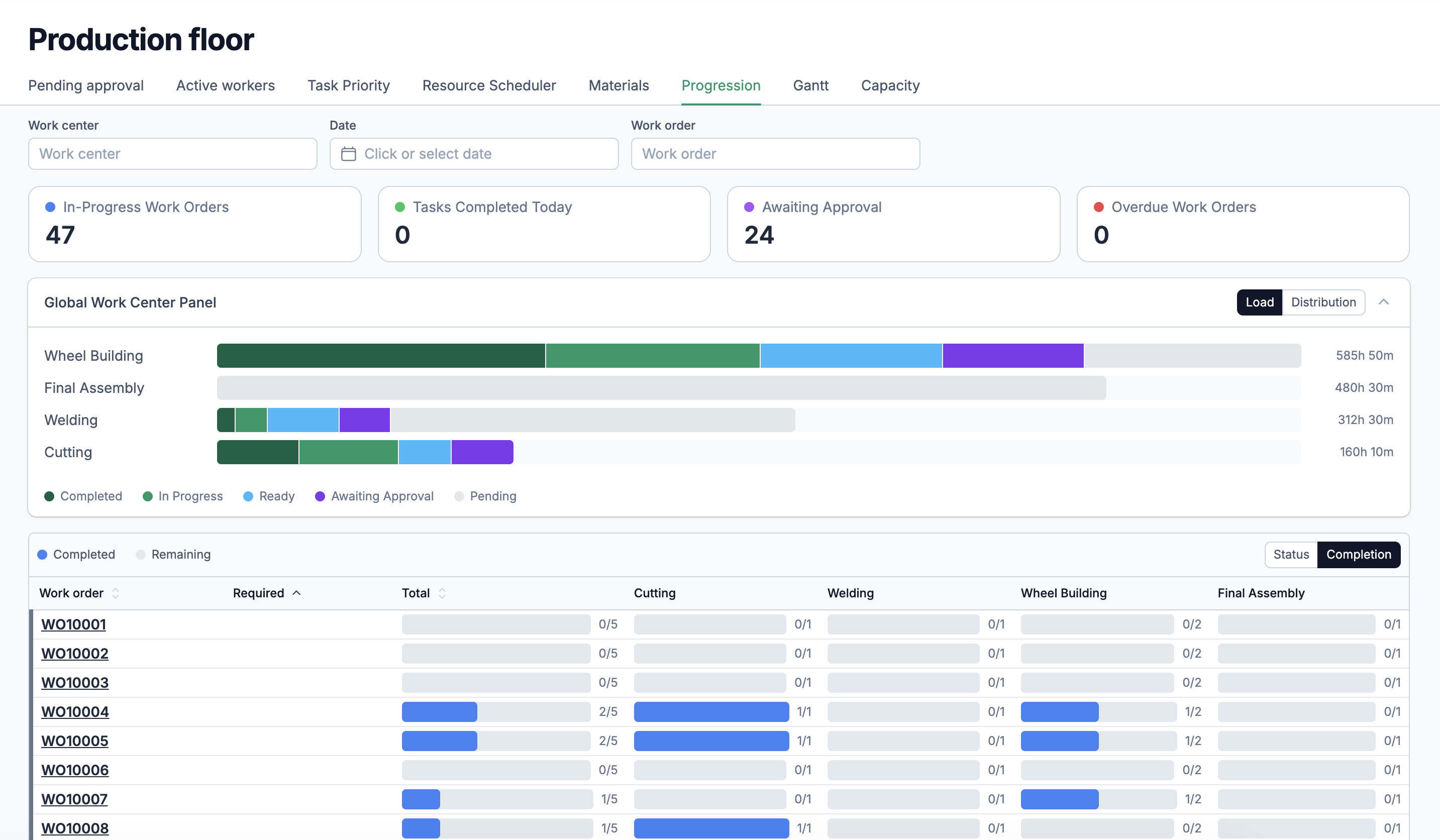
Shop floor visibility
Your production floor dashboard shows who is working on what, which tasks are ready, and which ones are waiting for approval. Priorities are set per work center, not per hallway conversation.
Five statuses. Full lifecycle. Every cost accounted for.
A work order in a spreadsheet is a row with a color. A work order in Statim ERP moves through a real status workflow: New, Accepted, In Progress, Completed, or Cancelled. Each transition triggers the right actions: inventory adjustments, cost recalculations, task status updates. You stop chasing updates and start managing production.
Linked to sales orders
Work orders generate directly from order lines. The BOM, the item, the required completion date, and the warehouse allocation all carry over. One click, no re-entry.
Inventory adjustments built in
When a work order moves to In Progress, materials start getting consumed. The system creates inventory adjustments automatically, with full audit trails. When a work order completes, finished goods hit stock.
Cancellation impact preview
Before you cancel an in-progress work order, the system shows exactly what will happen: which materials have been consumed, what costs have been recorded, and what inventory will be returned. You decide with full visibility, not a gut feeling.
Versioned BOMs with full cost rollups
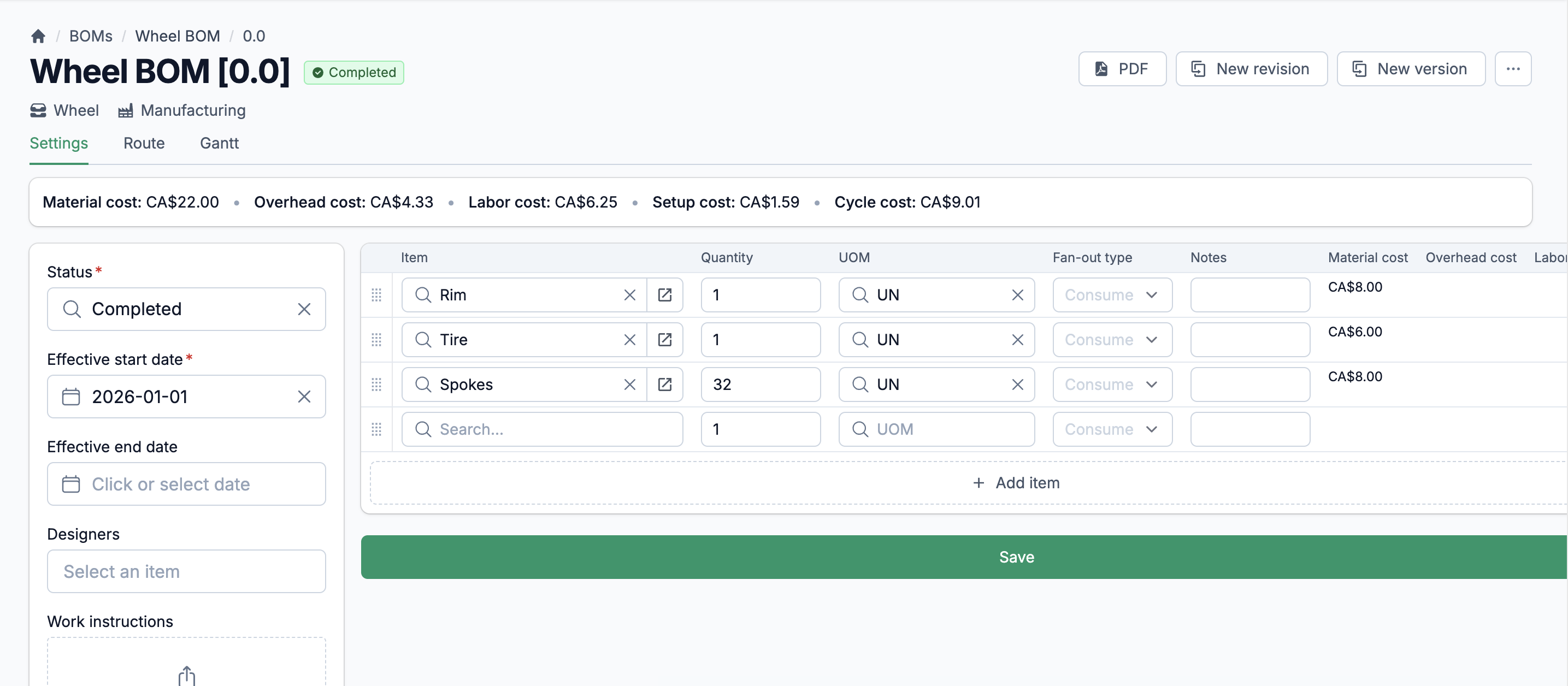
Your products evolve. Your BOMs should keep up. Statim ERP organizes BOMs under master records, each with its own version and revision history. Define input materials with consume/produce fan-out types, track costs at the material level, and move each BOM through a status workflow: Draft, In Review, Completed. Two BOM types keep things organized: Manufacturing for production and Engineering for R&D. Export any BOM as CSV or PDF when your team needs it offline.
Multi-level assemblies, handled without workarounds
Some products are simple: raw materials in, finished goods out. Others have sub-assemblies that are themselves manufactured from their own BOMs. Statim ERP supports multi-level BOM structures natively. A BOM line with a "produce" fan-out type triggers its own sub-BOM expansion when a work order is created. Each level gets its own production tasks, its own material consumption, and its own cost tracking. You define the product hierarchy once. The system handles the rest during production.
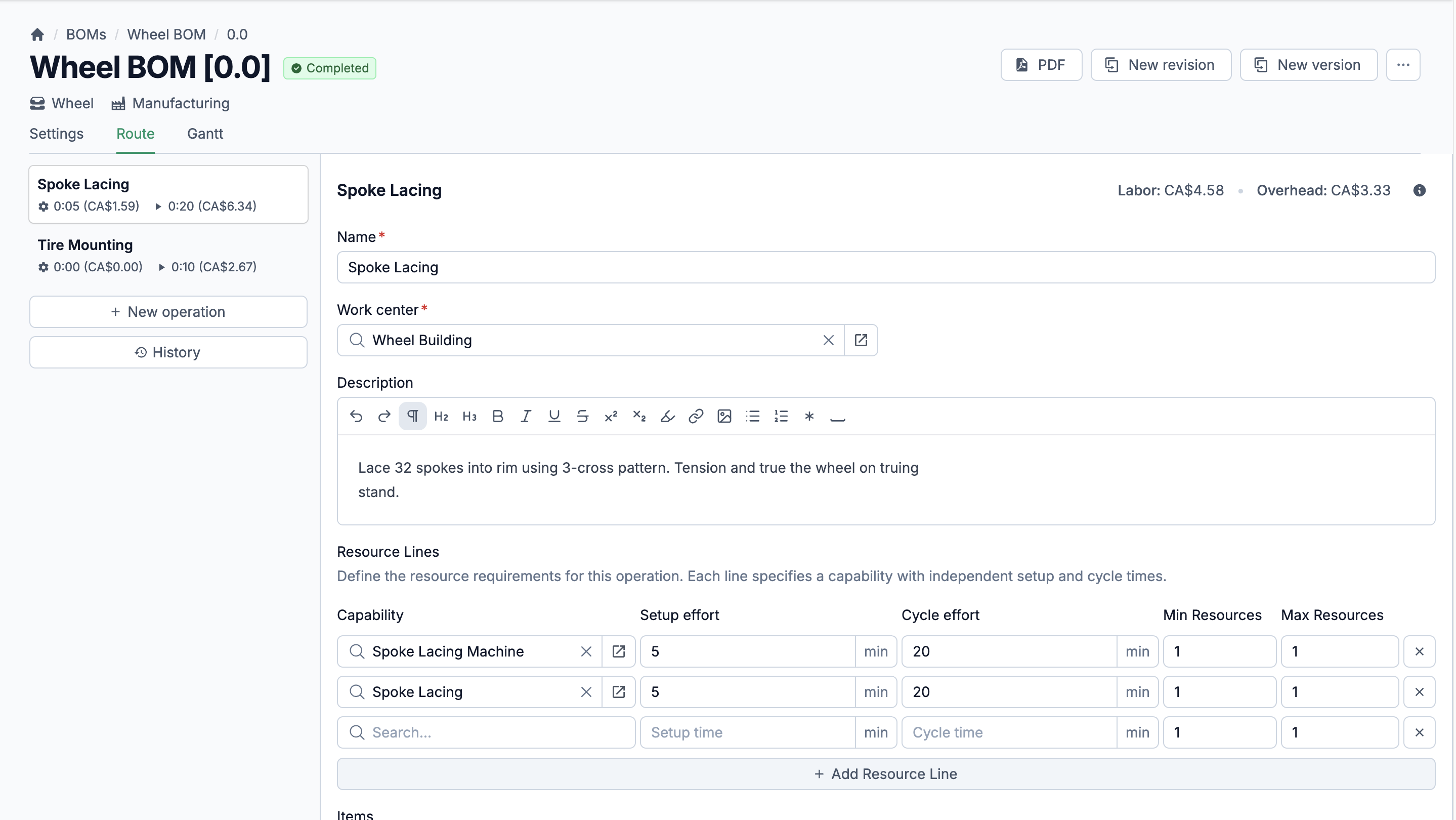
BOM Routing & Operations
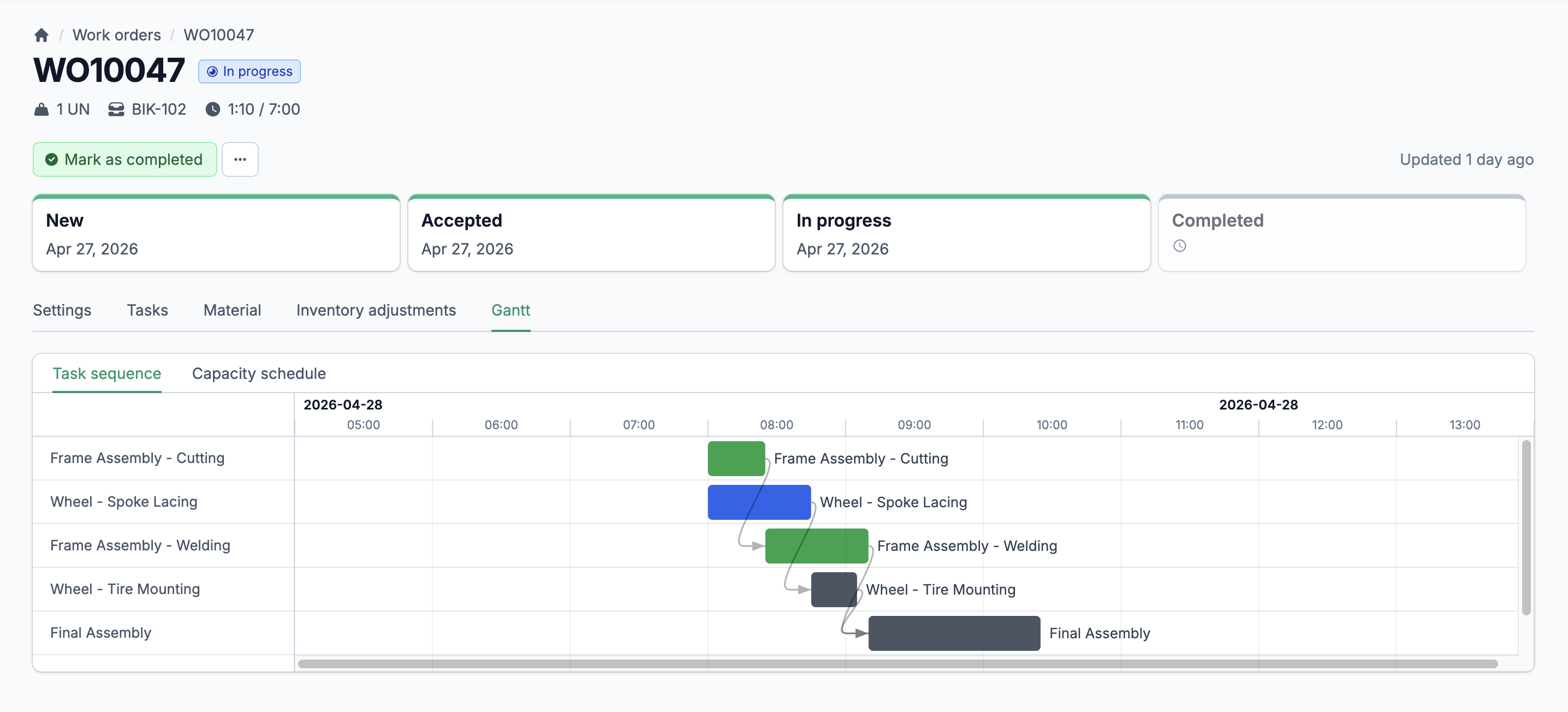
Define manufacturing routes with sequential operations. Each operation belongs to a work center, has its own setup and cycle times, and consumes specific materials. Operations link to each other with predecessor/successor relationships so your production sequence is explicit, not assumed.
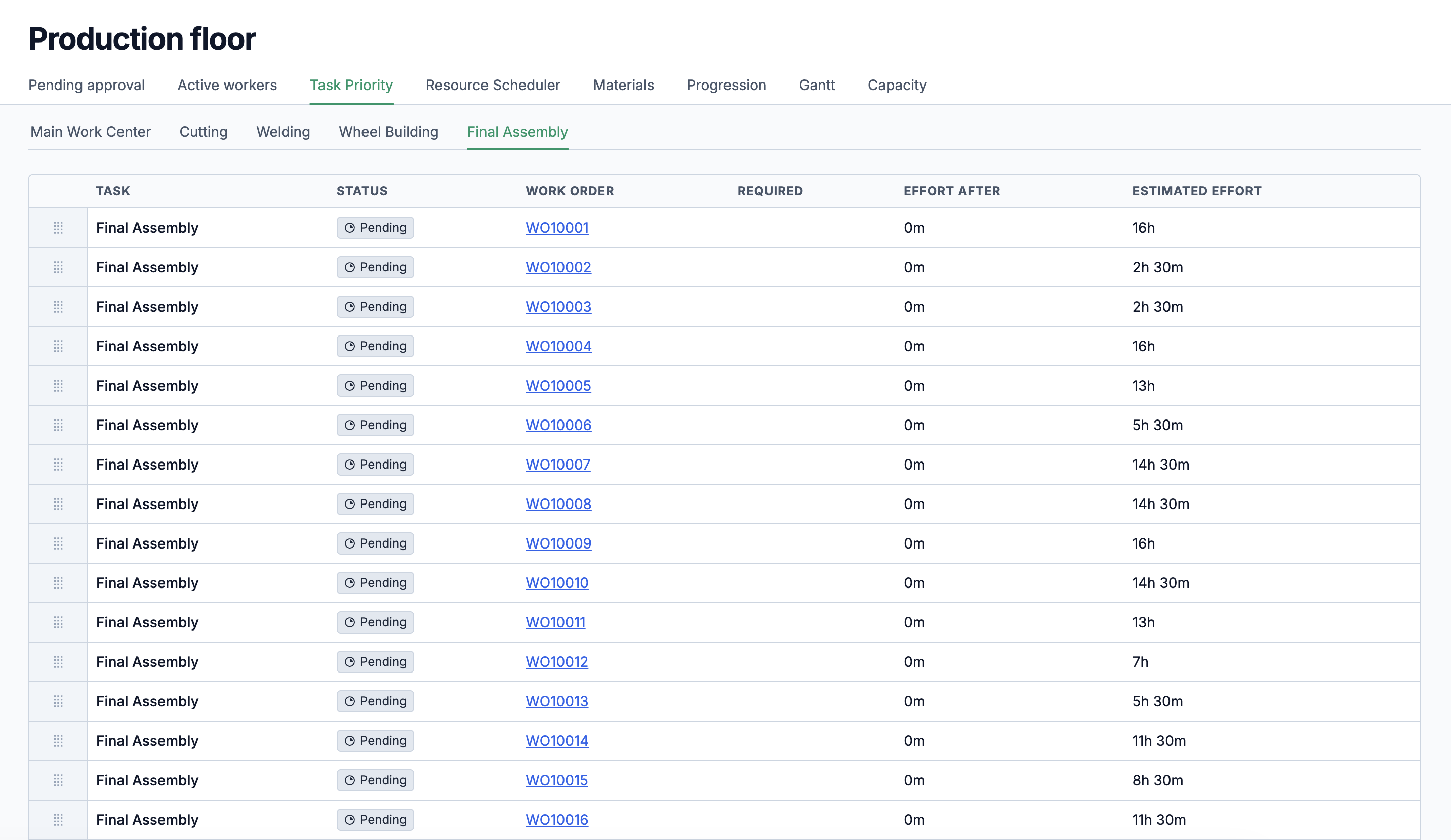
Production Tasks
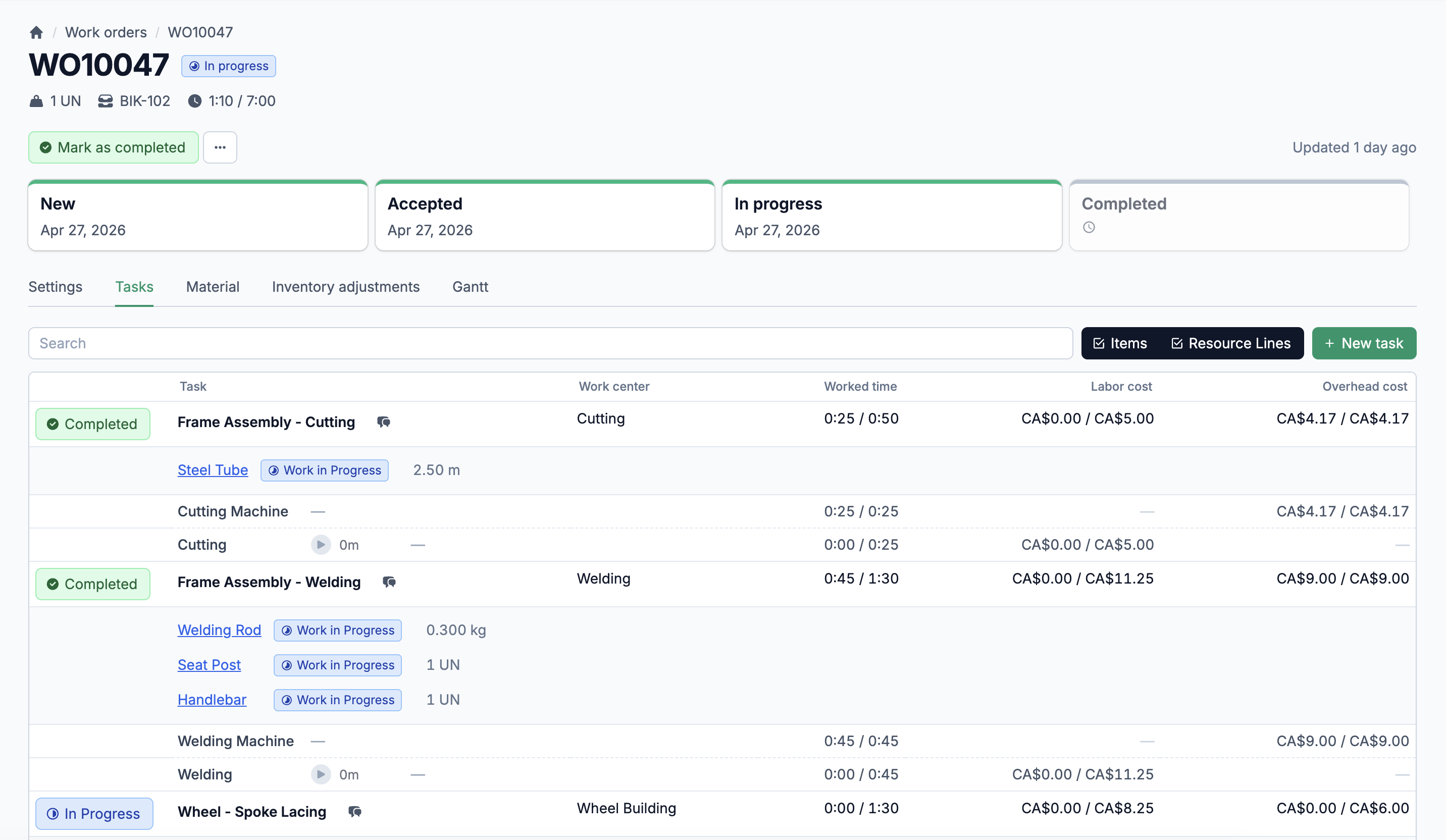
Every operation in a routing becomes a production task on the work order. Six statuses track each task's lifecycle: Pending, Ready, In Progress, Awaiting Approval, Completed, or Cancelled. Built-in timers feed labor hours directly into cost calculations.
Resource Lines & Assignments
Each production task has resource lines that define the capability required, setup and cycle times, and min/max resource counts. Assign specific employees or machines to each line. Labor and overhead costs calculate automatically from capability rates and worked time.
Active workers at a glance
See every active employee, their assigned capabilities, and the production tasks they are currently working on. Filter by work center. Know who is idle and who is overloaded, without walking the floor.
Task priorities per work center
Each work center has its own prioritized task queue: pending, ready, and in-progress tasks sorted by priority. Drag-and-drop reordering. Downstream effort calculations show how much work depends on each task completing first.
Pending approval queue
When a task finishes, it moves to Awaiting Approval before it is marked complete. Supervisors see the queue and approve from the dashboard. No tasks slip through without sign-off.
Define your floor, station by station
A work center is a physical production area: a welding station, an assembly line, a paint booth. In Statim ERP, each work center links to a site, holds its own task queue, and serves as the anchor for BOM routing operations. When you define a route, you assign each operation to a work center. When a work order starts, each task inherits its work center assignment. Capacity planning starts with knowing where the work happens.
A registry for every machine on your floor
Your machines are not interchangeable. A CNC router runs faster than a manual mill. A press brake has different capabilities than a shear. Statim ERP maintains a machine registry where each machine has a name, a code, an active/inactive status, and a capability matrix with speed coefficients. You know what each machine can do and how fast it does it.
Capability matrix with speed coefficients
Assign capabilities to each machine with a speed coefficient. A machine rated at 1.5x for a given capability completes that work 50% faster than baseline. This feeds directly into scheduling and cost estimates.
Machine schedules with calendar periods
Define operating schedules for your machines. Each schedule contains periods with start times, durations, and weekday assignments. Know when each machine is available, not just what it can do.
Active/inactive tracking
Take machines offline for maintenance without losing their configuration. Reactivate them when they are back. The registry always reflects reality.
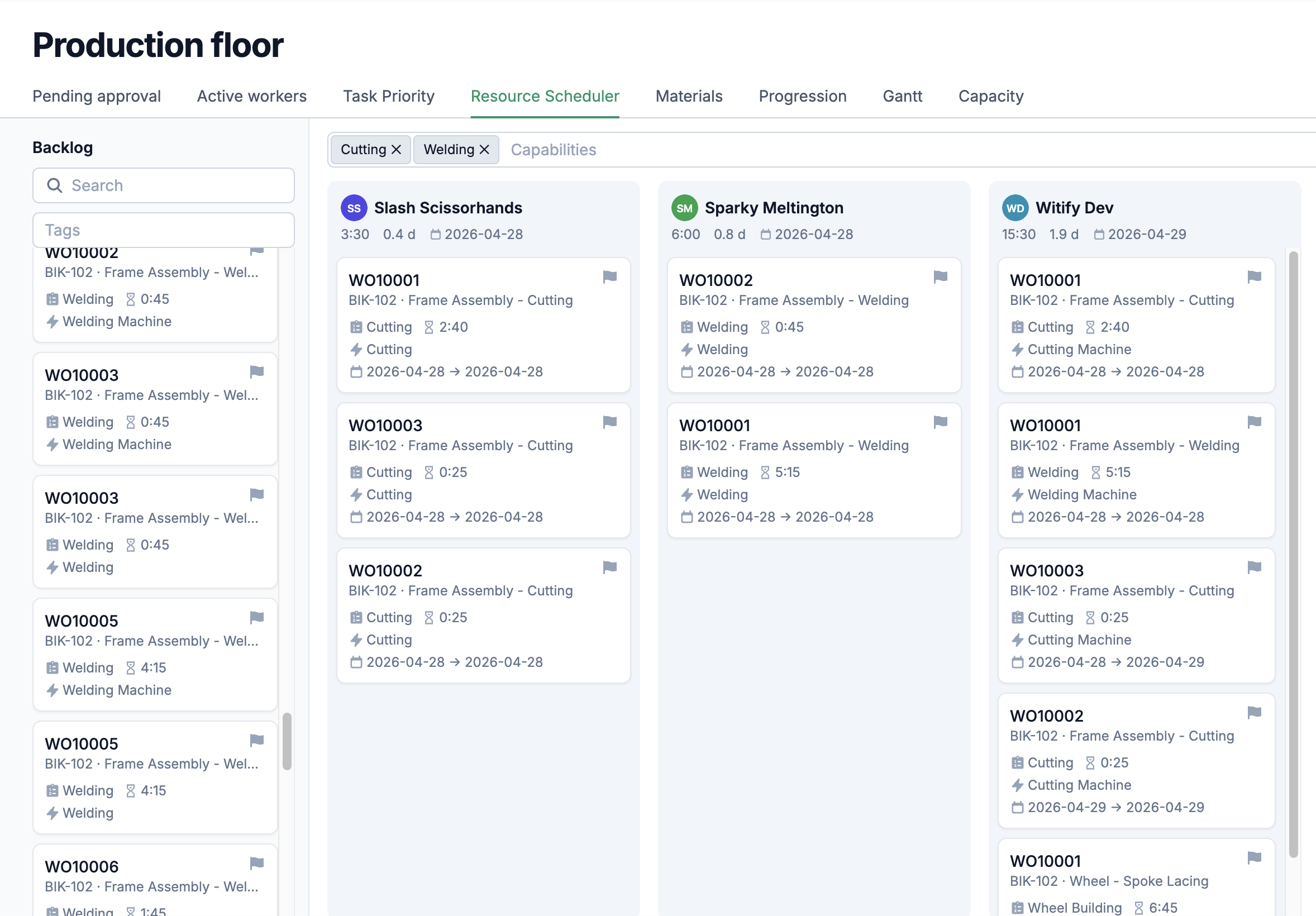
Match the right people and machines to every task
A capability in Statim ERP represents a production skill or function: welding, CNC operation, quality inspection. Three types cover every scenario: machine capabilities, labor capabilities, and combined (both). Each capability carries its own overhead and labor rates, which drive cost calculations automatically. Assign capabilities to employees and machines, both with speed coefficients, and the system knows exactly who and what can handle each operation.
Estimated vs. actual, at every level
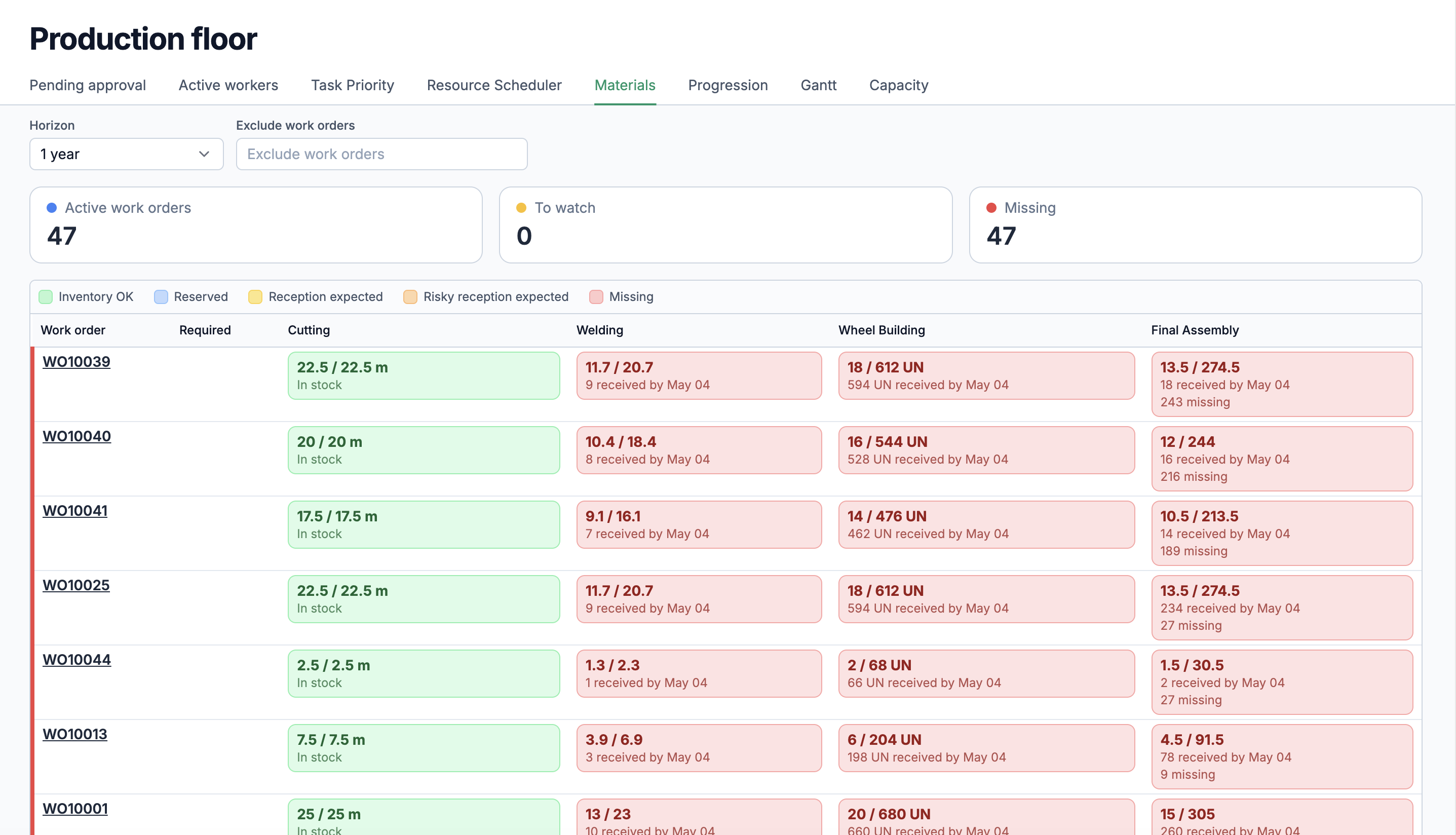
Most manufacturers know what a product should cost. Fewer know what it actually cost to make. Statim ERP tracks three cost categories per work order: material, labor, and overhead. Each one has an estimated value (calculated from BOM costs and capability rates) and an actual value (updated in real time from inventory adjustments and timesheet entries). Costs roll up from resource lines to production tasks to the work order itself. When a timesheet entry is logged against a task, the system recalculates labor and overhead costs automatically using the capability's hourly rates. Material costs update as items are consumed. You see the variance before the job ships, not after the invoice goes out.